
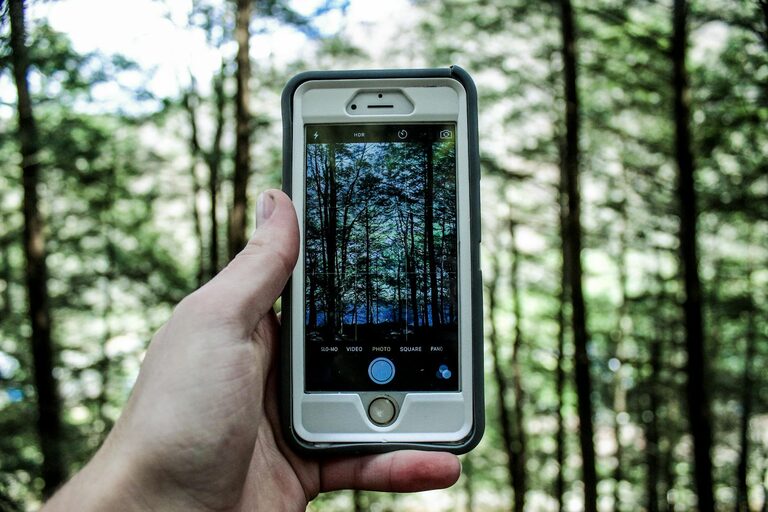
Taking great photos with your phone is easier than you might think. Whether you want to capture a beautiful landscape, a memorable moment with friends, or just improve your everyday snapshots, these beginner tips will help you take better phone photos. No fancy equipment required — just a bit of knowledge and practice.
Understanding Your Phone’s Camera
Before diving into tips, it helps to get familiar with your phone’s camera features. Most smartphones today offer more than just a simple point-and-shoot experience.
– Explore camera modes: Check for portrait, panorama, night mode, or manual settings.
– Learn the settings: Adjust exposure, focus, and resolution to suit different scenes.
– Use the grid feature: Enabling grid lines helps with composition, aligning shots with the “rule of thirds.”
Knowing what your phone camera can do will give you more control and better results.
Composition Tips for Better Photos
Good composition is key to eye-catching photos. Here are easy ways to frame your shots:
Use the Rule of Thirds
Imagine dividing your frame into nine equal parts with two vertical and two horizontal lines. Place main subjects along these lines or their intersections to create balance.
Keep it Simple
Avoid cluttered backgrounds. A clean, simple background helps the subject stand out and makes the photo more impactful.
Change Your Perspective
Don’t just shoot from eye level. Try different angles — get low, shoot from above, or move sideways to add interest.
Focus on Details
Sometimes small details tell the best stories. Zoom in on textures, patterns, or expressions for unique photos.
Lighting: The Most Important Element
Lighting makes or breaks a photo. Here’s how to use it to your advantage:
– Natural light is your friend: Whenever possible, shoot outdoors or near windows for soft, flattering light.
– Avoid harsh midday sun: Bright overhead sun causes shadows and glare. Early morning or late afternoon (golden hour) offers warm, even lighting.
– Use shadows creatively: Shadows can add depth and mood to your photos when used thoughtfully.
– Don’t rely on the built-in flash: Phone flashes often create harsh and unnatural light. Instead, find better-lit areas.
Steady Your Shots for Sharp Photos
Blurry pictures are a common frustration. Try these tips to keep your photos sharp:
– Hold your phone steady: Use both hands and tuck your elbows in.
– Use a tripod or phone stand: Especially useful for low light or long exposure shots.
– Tap to focus: Tapping on your subject on the screen helps the camera focus correctly and adjust exposure.
– Use burst mode: Taking multiple shots in quick succession increases the chances of a sharp photo.
Experiment with Editing Apps
Editing can elevate your phone photos from good to great. Many apps are beginner-friendly and free.
– Adjust brightness and contrast to fix lighting issues.
– Crop and straighten to improve composition.
– Apply filters sparingly for mood or color correction.
– Use tools like sharpen or clarity to enhance details.
Popular editing apps include Snapseed, VSCO, and Lightroom Mobile.
Practice Regularly and Review Your Work
Like any skill, photography improves with practice.
– Take photos daily or as often as possible.
– Review your photos to understand what worked and what didn’t.
– Don’t be afraid to delete bad shots — learning comes from trial and error.
Bonus Tip: Clean Your Lens
It’s a simple step often overlooked. A dirty lens smudges and distorts photos. Use a microfiber cloth to keep your lens clean and your photos crisp.
—
By applying these beginner tips, you’ll quickly notice an improvement in your phone photos. Remember, photography is about observation and creativity — so have fun exploring and capturing the world around you!